
THIS IS SAMPLEROBOT

Your Personal Sampling Assistant
Have you ever tried to record samples from a musical instrument? One after another for the various notes, with different articulations? Truncate the samples, find appropriate loop points and map your recordings so that you can play the whole instrument in your favorite sampler?
With SampleRobot you will never say never again!
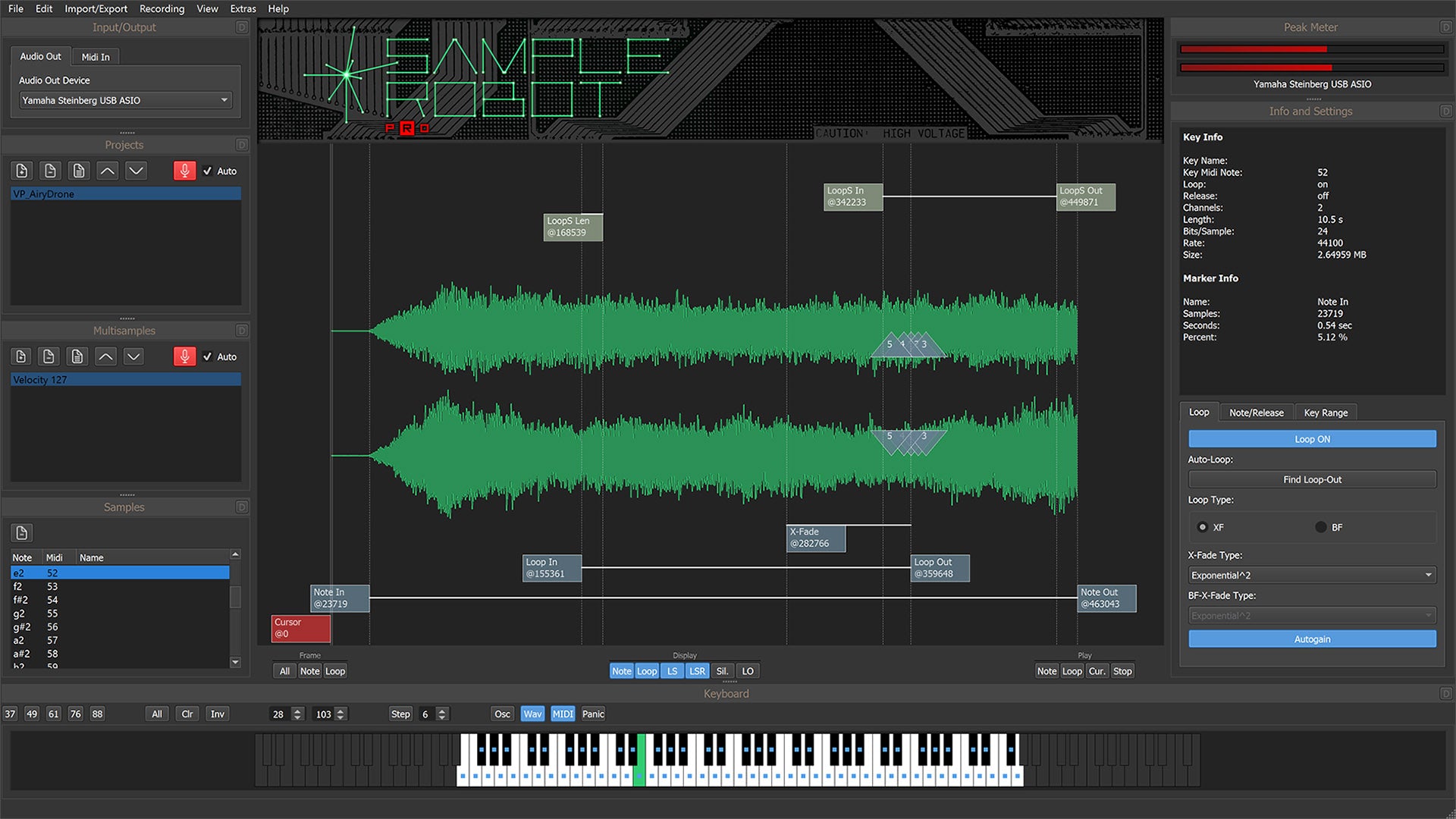
ALL-IN-ONE
SampleRobot is the toolbox that makes your sampling process fun again. Just sample a whole Midi instrument at a push of button. The full process is covered: sending Midi notes/program changes, recording audio, truncating samples, finding smooth loops.
EASY SETUP
Just connect Midi and Audio to your instrument. Start SampleRobot’s Project Wizard that helps you setting up a project for optimum results - and press “Record”. It’s easy as that.

NON-MIDI
SampleRobot even helps you sampling sounds from sources that don’t support MIDI. You will be guided through the process with a countdown, tone generator and audition tools.
WAVEROBOT
The heart of SampleRobot is the loop and transient editor WaveRobot. Your sample editing process is assisted with loop overlay and crossfade visualization. It features superfast waveform navigation with zooming down to sample-level.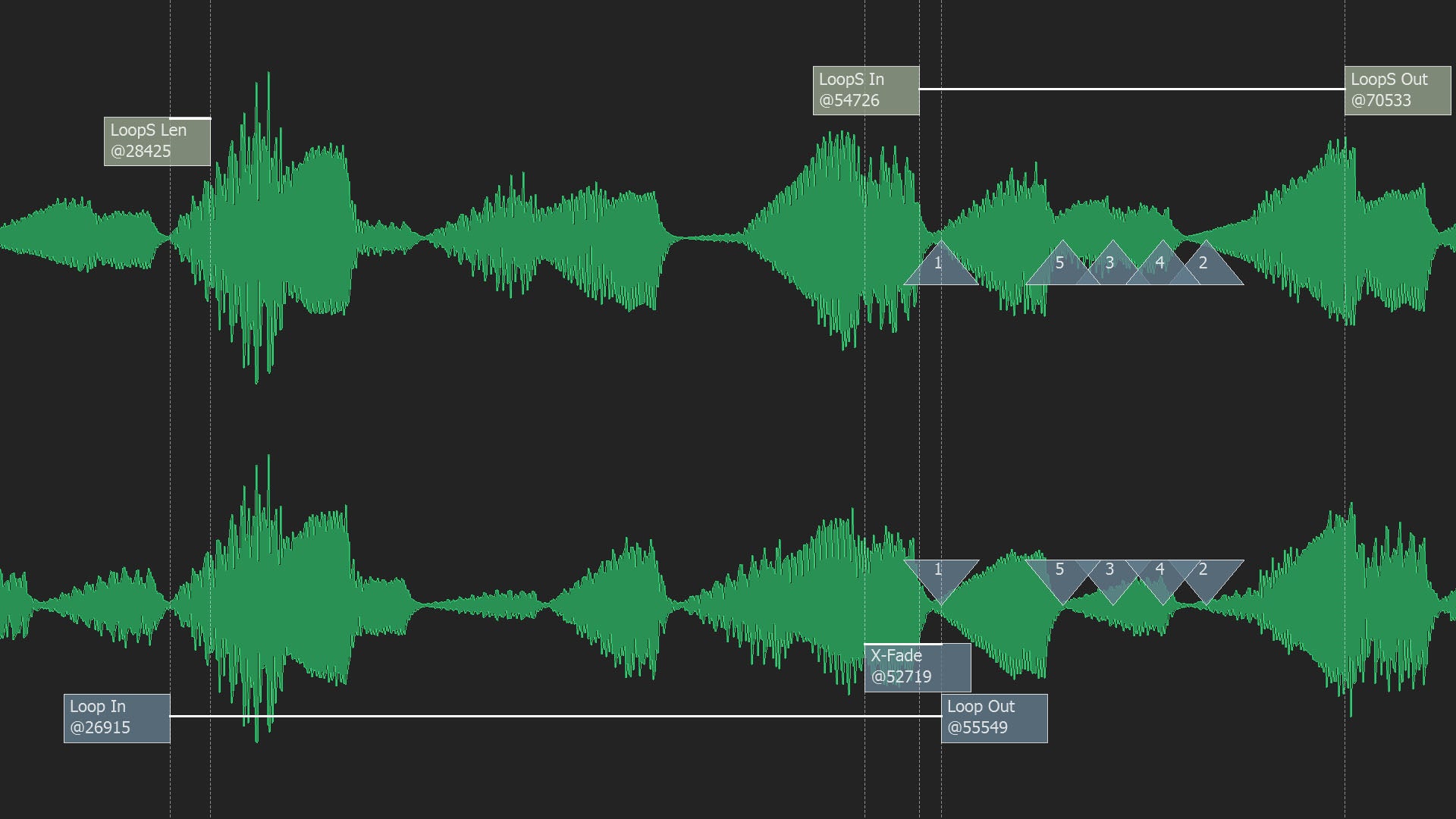

NEXT-GEN
Over a decade of development and long lasting relationships with professional users worldwide led to the latest generation of SampleRobot. Unleash you creativity with SKYLIFE’s SampleRobot 6!
- Fully automated "Cloning" of Midi instruments
- Fully automated "Cloning" of virtual instruments
- Semi-automated "Cloning" of instruments without Midi
- Instant access to all instrumental sounds via software samplers
- Work in other studios or on stage without carrying equipment
- Mobile composing on a laptop computer with all original "hardware sounds"
- Instant play: no wiring, no repairs, no loss of sounds
- Perfect "Total Recall" for every session
- Play monophonic instruments polyphonically
- Convert audio sampling CDs into directly playable software instruments
- Professional loop editing and Auto-Loop processing with WaveRobot
- Including powerful premium Multi-Samples from famous synthesizers
- Easy to use modular graphical user interface
- Compatible with Mac and PC
- Big time saver
- Keyboardists
- Film, game and electronic music composers
- Sound designers
- Sound library developers
- DJs
- Beat makers
- Remixers
Just imagine sampling an electric piano manually without SampleRobot. There are 88 keys to record, say with at least 10 different velocity layers. Each recording should be around 20 seconds long. Here is your formula:
88 x 10 x 20’ = 4h53’20”
And this is recording time only. If you are fast, you can edit one sample in 30 seconds. Here is the next formula:
88 x 10 x 30’ = 7h20’
So you will sit there non-stop without breaks for 12+ hours to have ONE sound playable in a software sampler at the end.
We highly recommend to concentrate on more exciting things and let SampleRobot do the job! Overnight!
Sampling a church organ

Under the leadership of professor Hans-Joachim Haas from the Institute for Music and Media at the University of Music Duesseldorf a research team has set itself the ambitious goal to authentically transfer a church organ into the digital domain as a software instrument. The virtual instrument clone shall be playable via software sampler. The recording sessions took place in the church St. Peter and Paul in Ratingen near Duesseldorf. The acoustic properties of the church are fantastic and the organ with the 2688 pipes with up to 5 meters in size creates an ideal voluminous sound field. Highest quality equipment was used to capture all sound nuances of the direct sound as well as the room signal. Therefore Schoeps microphones were directly connected to two RME Micstasy racks including MADI interfaces to distribute the audio signals to several computers. The core for the recordings was SampleRobot. Interestingly St. Peter and Paul's church organ supports Midi. So the complete recording process could be remote controlled via SampleRobot. All recordings were done fully automatically. Without Midi the church organ could have been semi-automatically recorded with SampleRobot.
But how "real" sounds the virtual church organ? You can form your own opinion by listening to the following audio examples. You will hear the sampled church organ (not the real one) played on a laptop computer inside Cubase via HALion.
Image copyright C.Frentzen
Examples: Frescobaldi - Toccata per elevatione
Frescobaldi - Gemshorn
Registration: Gemshorn 8'
Frescobaldi - Tutti
Registration: Bordun 16', Principal 8', Gemshorn 8', Weitoctave 4', Hohe Trompete 4'
Frescobaldi - Vox Coelistis
Registration: Vox Coelistis, Viola